Find Elements with Playwright in Python: Extract Validated Records

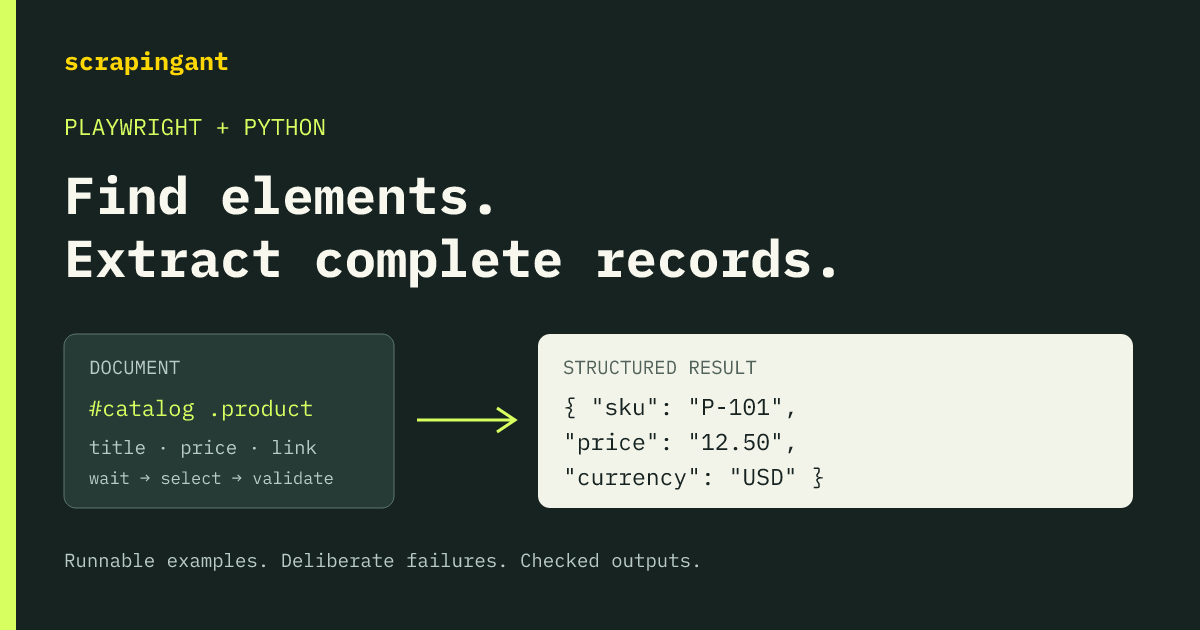
Use page.locator("#catalog > .product") to find repeated elements in Python Playwright. Narrow to an intended record before reading a single value, or call all() to iterate the matches after the list has finished loading. To build records in the browser, use evaluate_all() with a JavaScript projection.
Finding a match is only part of extraction. In the examples below, .first returned a sponsored product, while an early count() found a loading placeholder. Both operations worked; both selected the wrong data. The runnable example waits for the catalog's ready state and checks every SKU, title, currency, price and link against independently specified records.
Choose a locator and decide how many matches you expect
These are the queries used by the local catalog example. They assume page has loaded the fixture and its catalog is ready.
| Task | Python Playwright expression |
|---|---|
| Find all catalog records by CSS | page.locator("#catalog > .product") |
| Find the named list and its items by role | page.get_by_role("list", name="Catalog", exact=True).get_by_role("listitem") |
| Find an exact title | page.get_by_text("Café Mug", exact=True) |
| Find a record with an explicit attribute | page.locator('#catalog > .product[data-badge="featured"]') |
| Find the catalog items with XPath | page.locator('xpath=//ul[@id="catalog"]/li[@class="product"]') |
| Enter the fixture's frame | page.frame_locator("#catalog-frame").locator(".product") |
A locator describes how to find elements. A singular operation such as inner_text() requires an unambiguous match. In the test catalog, this read matched four titles and raised a strict-mode error:
target = page.locator("#main .product .title")
target.inner_text()
The matching records were AD-000, K-101, M-202 and T-303. The first was an advertisement outside the catalog. Changing the query to .first suppressed the ambiguity but selected that advertisement:
page.locator("#main .product").first
Its extracted title was Sponsored kettle, with price 999.00 in USD. Narrowing the parent scope to #catalog > .product produced the intended records instead. Treat .first as an explicit choice of position, not a repair for a selector that matches too much. Playwright's locator guide explains singular-operation strictness.
Run a complete locator-to-record example
The example repository includes the HTML fixture, a loopback HTTP server, extraction code and a literal record validator. It needs no API key and does not scrape an external site.
Use Python 3.12. Clone the repository and select the tested source revision:
git clone https://github.com/ScrapingAnt/scrapingant-examples.git
cd scrapingant-examples
git checkout 74638f75381bdf2ff0652f1f07bd98f65186b40d
cd examples/playwright-find-elements
python3.12 -m venv .venv
source .venv/bin/activate
python -m pip install -r requirements.txt
python -m playwright install chromium firefox
python quickstart.py
The dependency lock pins Playwright to 1.63.0. Browser installation downloads the corresponding binaries; Linux may also need the documented browser system dependencies.
The runnable quickstart.py starts the fixture server, launches Chromium, waits for the catalog, and validates the returned records. Its extraction and cleanup are:
with fixture_server() as origin, sync_playwright() as playwright:
    browser = playwright.chromium.launch(headless=True, chromium_sandbox=True)
    try:
        page = browser.new_page()
        page.goto(origin + "/catalog.html", wait_until="load")
        wait_for_catalog(page)
        records = page.locator("#catalog > .product").evaluate_all(PROJECTION)
        validate_records(records, CATALOG)
    finally:
        browser.close()
This is an excerpt from the complete file, not a standalone replacement for it: fixture_server, wait_for_catalog, PROJECTION and the independent CATALOG oracle come from the modules included beside it. The server context also closes its listener when the program exits. Chromium's sandbox stays enabled.
The captured output was:
[
  {
    "sku": "K-101",
    "title": "Copper Kettle",
    "currency": "USD",
    "price": "24.50",
    "href": "/products/kettle"
  },
  {
    "sku": "M-202",
    "title": "Café Mug",
    "currency": "EUR",
    "price": "12.00",
    "href": "/products/mug"
  },
  {
    "sku": "T-303",
    "title": "Tea & Honey",
    "currency": "GBP",
    "price": "8.75",
    "href": "/products/tea"
  }
]
The prices stay as decimal strings. Parsing real prices needs an explicit contract for the site's formatting; this fixture does not test a general currency parser.
Wait for the dataset before calling count or all
The fixture initially contains one placeholder record. A controlled load then replaces it with the catalog. While loading was deliberately held open, count() returned 1, len(rows.all()) returned 1, and extraction returned this record:
{
  "sku": "PENDING",
  "title": "Loading catalog",
  "currency": "XXX",
  "price": "0.00",
  "href": "/pending"
}
That is a concrete reason to separate the current match count from dataset readiness. Playwright documents that locator.all() returns the matches currently present, without waiting for a changing list to finish loading.
The fixture's readiness helper is:
def wait_for_catalog(page):
    page.get_by_role("button", name="Load catalog", exact=True).click()
    # This signal belongs to the fixture application, and means all three rows were installed.
    expect(page.locator('#catalog[data-state="ready"]')).to_have_count(1)
    expect(page.locator("#catalog")).to_have_attribute("aria-busy", "false")
    expect(page.locator("#catalog > .product")).to_have_count(3)
Here, data-state="ready" is meaningful because the fixture sets it after installing the complete list. Choose an equivalent application signal on your target. Use a known record count only when the application or your input specifies it; an arbitrary count cannot prove an infinite or virtualized list is complete.
After readiness, the row-by-row approach in extract.py reads the fields through locators:
def locator_records(rows):
    return [{
        "sku": row.get_attribute("data-sku"),
        "title": row.locator(".title").inner_text().strip(),
        "currency": row.locator(".price").get_attribute("data-currency"),
        "price": row.locator(".price").inner_text().strip(),
        "href": row.locator(".title").get_attribute("href"),
    } for row in rows.all()]
This returned the same three records as the quickstart. Validate the result after reading it: the supplied validator rejects missing records, duplicate SKUs, altered prices, unknown fields and invalid value types. In a real scraper, replace the fixture's exact record oracle with the dataset invariants you can actually establish.
Project all matched elements into JSON-compatible records
The quickstart uses evaluate_all() to pass the matched nodes to one JavaScript function. This is the exact projection from extract.py:
PROJECTION = """rows => rows.map(row => ({
    sku: row.getAttribute('data-sku'),
    title: row.querySelector('.title').innerText.trim(),
    currency: row.querySelector('.price').getAttribute('data-currency'),
    price: row.querySelector('.price').innerText.trim(),
    href: row.querySelector('.title').getAttribute('href')
}))"""
page.locator(...) creates the Playwright locator. Inside the projection, row.querySelector(...) is a DOM query running in the browser. The expression uses JavaScript methods such as getAttribute, not Python's get_attribute. Browser evaluation and the Python program have separate execution environments.
The projection ran after the same readiness checks as the locator loop and returned the same full record tuples. We did not measure a speed advantage. Use it when a browser-side mapping expresses your extraction clearly; it does not replace readiness or result validation.
Understand filters, replacement nodes and text reads
Three small distinctions caused or exposed wrong assumptions in the fixture.
Write has filters relative to each row
The first attempt used a title locator starting at #catalog inside rows.filter(has=...). It returned no records: each candidate row has no descendant catalog container. That failed capture is preserved with the code.
The corrected query was:
title = page.get_by_text("Café Mug", exact=True)
rows.filter(has=title)
rows is the scoped catalog locator. The inner locator is evaluated relative to each candidate, so this selected the M-202 record. The filter documentation describes this relative scope.
A reused locator can resolve a replacement node
The replacement case saved a locator for the kettle title, read Copper Kettle (archived), replaced the record's DOM node, and read the same locator again. It returned Copper Kettle. The identity check confirmed that the underlying node had changed.
This is useful when an application replaces its markup. Still wait for the relevant state transition: in the test, the second read followed an assertion that the catalog had reached data-state="replaced".
Choose text and attribute methods intentionally
The diagnostic reads produced these exact differences:
| Read | Captured value |
|---|---|
Title inner_text() | Tea & Honey |
Title text_content() | Tea & HoneyHIDDEN |
Link get_attribute("href") | /products/kettle |
Link DOM href property | {origin}/products/kettle |
Present data-badge attribute | featured |
Missing data-badge attribute | None in Python, null in the captured JSON |
The title contained a hidden descendant with the text HIDDEN. The URL property resolved the relative link; the captured output substitutes {origin} for the fixture server's random local origin. Decide whether your output needs visible text, all descendant text, the raw attribute, or its resolved property.
The selector families also selected different sets. Role lookup excluded the hidden offer button by default; include_hidden=True included it. CSS and XPath selected both offer buttons. An exact text query matched the fixture's whitespace-normalized Spaced title example. These are reasons to choose a query by its meaning, rather than swapping locator syntax and assuming identical results.
Enter frames and distinguish shadow-root queries
The frame case used page.frame_locator("#catalog-frame").locator(".product") and extracted F-404, the Frame spoon record. The main-document selection contained the four light-DOM records, including the decoy, and did not include that framed record.
For the open shadow root, page.locator("#shadow-host .product") extracted S-505, Shadow strainer. Raw document.querySelectorAll('.product') returned the four light-DOM SKUs instead; scoped XPath returned no shadow matches. Playwright's shadow-DOM documentation specifies the XPath exception and excludes closed shadow roots.
This matters when moving extraction code into evaluate_all() or another browser-JavaScript interface: ordinary DOM selectors do not acquire Playwright's locator behavior. The supplied fixture uses an open root and a same-origin frame. It does not establish cross-origin frame or closed-root behavior.
What the checks covered
Run the full local matrix from the example directory:
./run.sh
It writes rerun artifacts to ignored run_output/, leaving the captured expected_output/ files intact. The tested environment was Python 3.12.10, Playwright 1.63.0, Chromium 153.0.8010.12 and Firefox 155.0 on macOS 26.6.2 arm64.
| Check group | Captured denominator | Result |
|---|---|---|
| Selection/extraction cases, including wrong controls | 12 cases × 3 rounds × 2 browsers = 72 observations | Every observation matched its declared expected outcome |
| Separate method/error diagnostics | 4 cases × 3 rounds × 2 browsers = 24 observations | Every diagnostic matched its expected outcome |
| Offline record, summary and artifact-integrity regression tests | 25 test methods | Passed |
| Quickstart | One Chromium run, three expected records | Exact match |
The wrong controls are supposed to expose a problem: a passing test for .first means it reproduced the wrong sponsored record. These counts are not real-site extraction success rates. The captured artifacts and source include the initial failed filter experiment and a strict summary that rejects incomplete rounds or altered records.
If your scraper fails in the same way, choose the next action from the result:
| Symptom | Next action |
|---|---|
| Singular read raises a strictness error | Narrow the scope or intentionally read a collection. |
.first returns an unrelated record | Inspect the selected record and fix the parent scope. |
| Count looks plausible but fields contain loading values | Wait for an application readiness signal, then validate fields. |
has= filter unexpectedly finds nothing | Remove ancestor context from the relative inner locator. |
A missing selector produces TimeoutError | Handle absence explicitly; do not silently return a valid empty dataset. |
| Text contains hidden labels or links have unexpected URL forms | Choose the text/attribute/property contract deliberately. |
When a ScrapingAnt request fits
You do not need ScrapingAnt for this local fixture, HTML you already have, or a Playwright workflow that already meets your needs. The readiness and validation lessons apply to those workflows directly.
Keep Playwright when your task needs its sequence of interactions, locators and browser state. For extracting data from a loaded page through a hosted request, ScrapingAnt can execute a custom JavaScript snippet in the loaded page. The snippet can extract DOM data and write JSON into an element that the client reads from the returned HTML.
The tested shared example uses native document.querySelectorAll('#prices tbody tr') to extract a public fixture table. Playwright methods such as get_by_role() are not available inside that snippet. The runner fills the configuration in snippet.js; this exact excerpt projects the cells into records:
const rows = [...document.querySelectorAll(config.selector)];
if (!rows.length) throw new Error("ELEMENT_MISSING");
const records = rows.map(row => {
  const cells = [...row.querySelectorAll("td")].map(cell => cell.textContent.trim());
  if (cells.length !== 4 || cells.some(value => !value)) throw new Error("FIELDS_MISSING");
  return {product: cells[0], price: cells[1], units: cells[2], share: cells[3]};
});
The complete snippet puts those records in a versioned result envelope with an ok flag, then writes it into the DOM:
const carrier = document.createElement("script");
carrier.id = config.marker;
carrier.type = "application/json";
// Script data is raw text: escape less-than, not HTML entities.
carrier.textContent = JSON.stringify(result).replace(/</g, "\\u003c");
document.body.append(carrier);
The literal JSON \u003c escape prevents a value containing </script> from terminating the carrier when the returned HTML is parsed. Do not HTML-escape or entity-decode this JSON. The live transport probe preserved quotes, backslashes, a newline, Unicode, closing-script/comment delimiters and literal & through all three catalog responses. That synthetic probe was separate from the extracted table data.
The JavaScript execution interface requires browser=true. The example keeps return_page_source=false, Base64-encodes UTF-8 JavaScript and URL-encodes its query parameters. Each request gets a unique marker ID; uniqueness avoids accidental collisions but is not authentication against a hostile page.
Parse a saved live response without spending credits
Starting in examples/playwright-find-elements from the earlier setup, select the shared example revision and install its dependencies. This example also requires Node 22:
cd ../..
git checkout 74638f75381bdf2ff0652f1f07bd98f65186b40d
cd examples/javascript-dom-extraction
python3.12 -m venv .venv
source .venv/bin/activate
python -m pip install -r requirements.txt
python -m playwright install chromium
npm ci
./run.sh
The default runner uses local fixtures and saved responses. It makes no API calls. Its protocol.py provides parse_html(), which requires exactly one correctly typed carrier, parses its JSON and validates the envelope. The separate parse_marker() demonstrates an exact-marker regex with an HTML-parser cross-check; it is deliberately format-sensitive, not a general HTML parser.
Save this Python consumer as read_saved.py in that directory, then run python read_saved.py. It reads the first saved live response, checks extraction success, compares all records with the independent oracle, and prints the first record:
import json
from pathlib import Path
from protocol import parse_html
from state import RECORDS

receipt = json.loads(Path('expected_output/live/live.json').read_text(encoding='utf-8'))
call = receipt['calls'][0]
html = Path('expected_output/live/catalog_1.html').read_text(encoding='utf-8')
result = parse_html(html, call['marker'])
if not result['ok']:
    raise ValueError(result['error']['code'])
records = result['data']['records']
if records != RECORDS:
    raise ValueError('Unexpected catalog records')
print(json.dumps(records[0], indent=2))
Actual output from the saved response:
{
  "product": "Ant Farm Deluxe",
  "price": "$1,234.50",
  "units": "12,345",
  "share": "45.5%"
}
What the live controls showed
Validate the result marker, JSON envelope and required data fields; an HTTP 200 response alone does not prove the extraction succeeded. All six recorded calls returned HTTP 200, with these distinct outcomes:
| Live case | Recorded result |
|---|---|
| Three table extractions | Each matched all three expected records, including every field. |
| One delayed-page extraction | Expected loaded text and awaited: true. |
| One missing-selector control | Valid envelope with ok: false and ELEMENT_MISSING. |
| One return-only control | No result marker; returning a JavaScript object did not make it the response body. |
The delayed request waited for the page's own #loaded element, not for the marker created by the snippet. An ok: false envelope is an extraction failure; a missing or malformed marker is a transport failure. Neither should become a silently accepted empty dataset.
A request with JavaScript rendering through a datacenter proxy costs 10 API credits. The six live receipts recorded 10 credits each, totaling 60. These controlled cases are not a production success-rate benchmark.
To inspect the six-request plan, run python live_probe.py. To intentionally repeat the paid run, set SCRAPINGANT_API_KEY in your environment and use:
python live_probe.py --live
That is the explicit paid opt-in; the full runner has no retry loop and refuses to overwrite an existing report. Check the current cost before rerunning it.
Limits of these examples
The catalog is synthetic and finite. Its ready signal has an explicit meaning, its frame is same-origin, and its shadow root is open. The measurements cover the captured Chromium and Firefox versions; they do not cover WebKit, pagination, virtualized lists, authentication or production anti-bot behavior. Adapting a selector to a real site also means choosing a defensible readiness condition and validating the resulting records.
Examples tested on 2026-09-28 with Python 3.12.10, Playwright 1.63.0, Chromium 153.0.8010.12 and Firefox 155.0. Code: runnable examples at the tested source revision.
This article was drafted with AI assistance from a tested evidence packet. Oleg Kulyk is responsible for the code, measurements and corrections.