What Is an MCP Server? Architecture, Transports and a Working Example

Rewritten against the MCP specification (version 2025-06-18) with three new diagrams. The earlier text described components that are not part of the protocol and called Server-Sent Events "in development"; the spec replaced that transport with Streamable HTTP. Every protocol statement below links to the spec, the transcripts come from real runs against ScrapingAnt's server, and every code block is a file that was executed. Code and captured output: scrapingant-examples/examples/what-is-mcp-server.
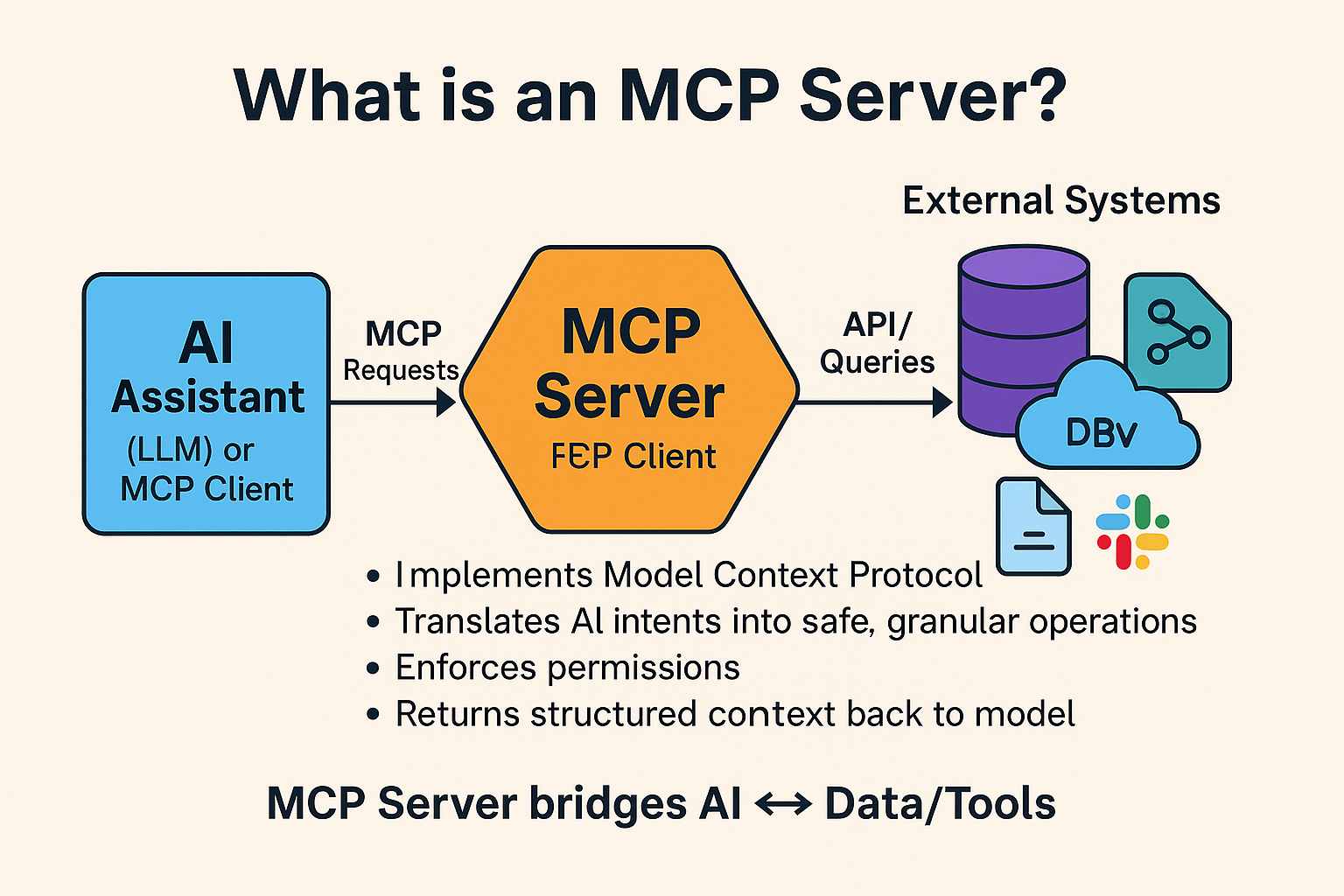
An MCP server is a program that offers tools, data and prompt templates to an AI assistant through a standard protocol, the Model Context Protocol. The assistant's application (Claude Desktop, Cursor, VS Code, Claude Code) connects to it, asks what it can do, and calls its tools when the model decides they are needed. The server can be a local process on your machine or a remote service such as ScrapingAnt's, which turns "fetch this page" into a tool the assistant can use.

Host, clients and servers. The host runs or calls the model and keeps one client per server connection. Server A's tools are illustrative; server B's are ScrapingAnt's real ones.
The three roles
The architecture section of the spec defines three roles:
| Role | What it is | What it does |
|---|---|---|
| Host | The application you use: Claude Desktop, Cursor, VS Code with Copilot, Claude Code | Runs or calls the model, creates clients, decides which servers to connect, enforces permissions and user consent |
| Client | A connector inside the host | Keeps one stateful session with exactly one server; negotiates capabilities; routes messages |
| Server | The program you connect to | Exposes tools, resources and prompts; can be a local process or a remote service |
A host can run many clients at once, and each client talks to one server. The spec lists as a design principle that servers should not be able to read the whole conversation or see into other servers; the host is the party that enforces that boundary, so a server only receives the messages of its own session.
Servers offer three kinds of things, called primitives:
- Tools: functions the model can call, each described by a name, a description and a JSON schema for its arguments. This is what a scraping server exposes.
- Resources: data the host can read by URI, such as a file or a configuration document.
- Prompts: reusable prompt templates the user can pick.
Everything travels as JSON-RPC 2.0 messages. A session starts with an initialize request in which client and server declare their capabilities; features that were not declared are not used during the session.
What one request looks like
Here is a scrape through ScrapingAnt's MCP server, from your sentence to the answer:

The model never fetches anything itself. It chooses a tool; the client makes the call; the server does the work.
You can watch the first part happen with nothing but HTTP. This script sends initialize, the initialized notification and tools/list to https://api.scrapingant.com/mcp/. No API key is needed for these three calls.
import json

import requests

ENDPOINT = "https://api.scrapingant.com/mcp/"  # trailing slash: /mcp answers with a redirect
HEADERS = {"Content-Type": "application/json",
           "Accept": "application/json, text/event-stream"}  # the spec requires both


def parse(resp):
    """Streamable HTTP lets the server answer with plain JSON or an SSE stream."""
    if resp.headers.get("content-type", "").startswith("text/event-stream"):
        data = [l[5:] for l in resp.text.splitlines() if l.startswith("data:")]
        return json.loads(data[-1]) if data else None
    return resp.json() if resp.text else None


s = requests.Session()
init = parse(s.post(ENDPOINT, headers=HEADERS, timeout=60, json={
    "jsonrpc": "2.0", "id": 1, "method": "initialize",
    "params": {"protocolVersion": "2025-06-18", "capabilities": {},
               "clientInfo": {"name": "blog-example", "version": "1.0"}}}))
HEADERS["MCP-Protocol-Version"] = init["result"]["protocolVersion"]  # required on every later request
s.post(ENDPOINT, headers=HEADERS, timeout=60, json={"jsonrpc": "2.0", "method": "notifications/initialized"})
tools = parse(s.post(ENDPOINT, headers=HEADERS, timeout=60, json={"jsonrpc": "2.0", "id": 2, "method": "tools/list"}))

info = init["result"]
print(f"server: {info['serverInfo']['name']} {info['serverInfo']['version']}, protocol {info['protocolVersion']}")
print(f"capabilities: {sorted(info['capabilities'])}")
for t in tools["result"]["tools"]:
    props = t["inputSchema"]["properties"]
    print(f"tool: {t['name']}({', '.join(props)})  required={t['inputSchema'].get('required')}")
Its output on 2026-09-15:
server: ScrapingAnt MCP Server 1.30.0, protocol 2025-06-18
capabilities: ['experimental', 'prompts', 'resources', 'tools']
tool: get_web_page_html(url, browser, proxy_type, proxy_country)  required=['url']
tool: get_web_page_markdown(url, browser, proxy_type, proxy_country)  required=['url']
tool: get_web_page_text(url, browser, proxy_type, proxy_country)  required=['url']
The initialize reply carries the protocol version and the server's capabilities, and the spec asks the client to send that version back in an MCP-Protocol-Version header on every later request. tools/list returns a JSON schema per tool, which is all the model gets to decide how to call it. The answers arrive as text/event-stream, one of the two response forms Streamable HTTP allows; a client has to handle both.
The longer script in the examples repository also lists prompts and resources and calls a tool without a key. Its complete output:
POST initialize                   -> HTTP 200 text/event-stream
  server: ScrapingAnt MCP Server 1.30.0, protocol 2025-06-18
  capabilities: ['experimental', 'prompts', 'resources', 'tools']
POST notifications/initialized    -> HTTP 202 application/json
POST tools/list                   -> HTTP 200 text/event-stream
  3 tools
  - get_web_page_html: Fetch (scrape) a URL using ScrapingAnt and return the web page content as HTML.
      url*: string
      browser: boolean = true
      proxy_type: string|null = null
      proxy_country: string|null = null
  - get_web_page_markdown: Fetch (scrape) a URL using ScrapingAnt and return the web page content as Markdown.
      url*: string
      browser: boolean = true
      proxy_type: string|null = null
      proxy_country: string|null = null
  - get_web_page_text: Fetch (scrape) a URL using ScrapingAnt and return the web page content as plain text.
      url*: string
      browser: boolean = true
      proxy_type: string|null = null
      proxy_country: string|null = null
POST prompts/list                 -> HTTP 200 text/event-stream
  0 prompts: []
POST resources/list               -> HTTP 200 text/event-stream
  1 resources: ['get_scraping_options']
POST tools/call                   -> HTTP 200 text/event-stream
  tools/call without an API key -> {"jsonrpc": "2.0", "id": 4, "result": {"content": [{"type": "text", "text": "SCRAPING FAILED (Detail: 'Missing API Key. Please ensure 'x-api-key' header is set in your client configuration.').\nINSTRU
Two details matter. prompts/list is empty and resources/list holds one item, so this server is almost entirely about its three tools. And a tools/call without an API key does not produce a JSON-RPC error: it produces a normal tool result whose text starts with SCRAPING FAILED (Detail: 'Missing API Key...'), which is what the model would see and relay to you. Tool results are content for the model; protocol errors are for the client.
The two transports

Same messages, two pipes. Local tools use stdio; services use Streamable HTTP.
The transports section defines exactly two:
- stdio: the client launches the server as a subprocess and writes JSON-RPC messages to its standard input, one per line; the server answers on standard output. The transport itself has no network hop and no authentication. What the server does inside is up to it: the one built below calls an HTTPS API with a key.
- Streamable HTTP: the server runs as an independent process behind one HTTP endpoint that accepts
POST(client messages) and optionallyGET(a stream for server-initiated messages). The response to aPOSTis either a single JSON object or an SSE stream. Servers may assign anMcp-Session-Idat initialization, which the client then sends with every request; ScrapingAnt's server did not send one in the recorded run. This replaced the earlier HTTP+SSE transport of protocol version 2024-11-05; if you read that an MCP server "uses SSE", that is the old design.
ScrapingAnt's server is a Streamable HTTP server authenticated with an x-api-key header. In your own code use https://api.scrapingant.com/mcp/ with the trailing slash: the address without it answers with a 307 redirect whose target is plain http://, and a client that follows it re-sends your API key unencrypted. We have reported the redirect target to the product team.
Connect an assistant to it
In Claude Code, one command registers the server:
claude mcp add scrapingant --transport http https://api.scrapingant.com/mcp -H "x-api-key: <YOUR-API-KEY>"
Claude Desktop, Cursor, VS Code, Cline and Windsurf take a JSON block with the same URL and header; the exact snippets and a walkthrough are in the MCP server documentation, and the Claude Code post linked at the end shows a full session. The API key comes from the dashboard after signup.
The three tools share four parameters (defaults per the docs; the schema above shows null where the server applies them):
| Parameter | Default | Meaning |
|---|---|---|
url | required | Page to fetch |
browser | true | Render with a headless browser. Set false for static pages; it is cheaper |
proxy_type | datacenter | residential when the site blocks datacenter addresses |
proxy_country | random | ISO country code for geo-specific content |
MCP calls consume API credits the same way as direct API calls (credits): a rendered request through a datacenter proxy costs 10 credits and a plain request costs 1, so browser: false on a static page is a tenfold saving the model can be told about in its instructions.
Give Your AI Agents Real-Time Web Access
ScrapingAnt's MCP server integrates directly with Claude Desktop, Cursor, VS Code, and more. Unlike black-box solutions, you control the entire search and extraction pipeline.
Write your own MCP server in 23 lines
The official Python SDK (mcp 2.2.0) turns a function into a tool with a decorator. This server exposes one tool that fetches a page as Markdown through the ScrapingAnt API, and speaks stdio. Save it as 03_minimal_server.py:
import os

import requests
from mcp.server.mcpserver import MCPServer

mcp = MCPServer("my-scraper")


@mcp.tool()
def fetch_markdown(url: str, browser: bool = True) -> str:
    """Fetch a web page and return its main content as Markdown."""
    r = requests.get("https://api.scrapingant.com/v2/markdown",
                     params={"url": url, "browser": str(browser).lower()},
                     headers={"x-api-key": os.environ.get("SCRAPINGANT_API_KEY", "")}, timeout=120)
    if r.status_code != 200:
        # Return the failure as text: the model can read it and tell the user.
        # An uncaught exception would reach the model only as "Error executing tool".
        return f"fetch failed: HTTP {r.status_code} {r.text[:200]}"
    return r.json()["markdown"]


if __name__ == "__main__":
    mcp.run()  # stdio transport
The type hints become the tool's JSON schema; the docstring becomes its description. The if r.status_code != 200 branch matters: an exception inside a tool reaches the model only as "Error executing tool", while a returned string tells it what went wrong.
To run it you need Python 3.12, the two packages, and an API key for the actual fetch:
python3.12 -m venv .venv && . .venv/bin/activate
pip install mcp==2.2.0 requests==2.34.2
export SCRAPINGANT_API_KEY=...        # optional: without it the tool call is skipped
python 03_client.py
03_client.py launches the server as a subprocess, lists its tools and calls one:
import asyncio
import os
import sys

from mcp import ClientSession, StdioServerParameters
from mcp.client.stdio import stdio_client


async def main() -> None:
    params = StdioServerParameters(command=sys.executable, args=["03_minimal_server.py"], env=dict(os.environ))
    async with stdio_client(params) as (read, write):
        async with ClientSession(read, write) as session:
            init = await session.initialize()
            print(f"server: {init.server_info.name}, protocol {init.protocol_version}")
            tools = await session.list_tools()
            for t in tools.tools:
                print(f"tool: {t.name} - {t.description}  params={list(t.input_schema['properties'])}")
            if not os.environ.get("SCRAPINGANT_API_KEY"):
                print("tools/call skipped (SCRAPINGANT_API_KEY not set)")
                return
            result = await session.call_tool("fetch_markdown", {"url": "https://scrapingant.github.io/scrapingant-examples/fixtures/dynamic-delayed.html"})
            if result.is_error:
                print("fetch_markdown FAILED (isError=true):", result.content[0].text.strip()[:160])
            else:
                print("fetch_markdown ->", result.content[0].text.strip()[:120])


asyncio.run(main())
Output without a key:
server: my-scraper, protocol 2025-11-25
tool: fetch_markdown - Fetch a web page and return its main content as Markdown.  params=['url', 'browser']
tools/call skipped (SCRAPINGANT_API_KEY not set)
And with a wrong key, which is what a misconfigured deployment looks like from the model's side:
server: my-scraper, protocol 2025-11-25
tool: fetch_markdown - Fetch a web page and return its main content as Markdown.  params=['url', 'browser']
fetch_markdown -> fetch failed: HTTP 403 {"detail":"API token is wrong. Please visit https://app.scrapingant.com/profile to check your tok
Note the protocol version: the SDK negotiated the newest one it knows, newer than the 2025-06-18 document this article cites. That is capability negotiation doing its job. In mcp 1.x the class was called FastMCP; 2.x renamed it to MCPServer and changed other APIs, so pin the version you tested. To register this server in Claude Code: claude mcp add my-scraper -- python 03_minimal_server.py.
When you do not need an MCP server
- No assistant in the loop. If your code calls the scraping API directly, an MCP server adds a hop and nothing else. Use the HTTP API or a client library.
- The tool is local and only you use it. A stdio server is fine, but a plain script the assistant can run may be simpler.
- You need the model to fetch one fixed page. Paste the content into the prompt.
An MCP server earns its place when several assistants or people need the same capability with the same guardrails, or when the capability needs infrastructure the assistant's machine does not have, such as a headless browser behind rotating proxies.
Limitations
- The handshake, tool listing and the self-built server were recorded without an API key; tool call results through ScrapingAnt's server and their credit costs are described from the documentation, not measured. The example repository records them when run with a key.
- The spec version cited is 2025-06-18; the SDK already negotiates a newer revision. Check modelcontextprotocol.io for the current text.
Summary
An MCP server is a tool provider for AI assistants: a host runs or calls the model, a client per server keeps a JSON-RPC session, and the server answers tools/list and tools/call. Local servers speak stdio; services speak Streamable HTTP. You can see the whole protocol with a few POST requests, and you can write a server in a couple of dozen lines.
Handshake, tool listing and the example server tested on 2026-09-15 with Python 3.12.10, mcp 2.2.0 and requests 2.34.2 against ScrapingAnt MCP Server 1.30.0. Code, output and diagram sources: scrapingant-examples/examples/what-is-mcp-server.
This article was drafted with AI assistance from a tested evidence packet and reviewed by the named author, who is responsible for the code, measurements and corrections.